> ## Documentation Index
> Fetch the complete documentation index at: https://docs.perplexity.ai/llms.txt
> Use this file to discover all available pages before exploring further.
# Perplexity with n8n
> Add real-time web search, AI agents, and embeddings to your n8n workflows using the native Perplexity node.
export const SonarDeprecationNotice = ({showGuideLink = true}) =>
Sonar Chat Completions is now Agent API. Sonar will be supported until September 27, 2026.{showGuideLink && <> Migration guide here.}
;
## Overview
n8n ships a native **Perplexity node** with Agent, Search, and Embeddings resources — all configurable from the visual canvas. Models load dynamically from the API, so the dropdown always reflects the latest options.
**n8n** is a node-based workflow automation platform. It supports both self-hosted and cloud deployments — all examples below work in either. If you're self-hosting, make sure your instance can reach `api.perplexity.ai` outbound. Learn more at [n8n.io](https://n8n.io).
The node supports three resources:
* **Agent** — Third-party models (OpenAI, Anthropic, Google, xAI) with tool-calling and structured output
* **Search** — Raw ranked web results for your own processing
* **Embeddings** — Vector generation for RAG and retrieval pipelines
## Prerequisites
* n8n 2.14.0+ (cloud at [app.n8n.cloud](https://app.n8n.cloud) or self-hosted)
* A Perplexity API key
Generate your Perplexity API key from the console.
## Credential Setup
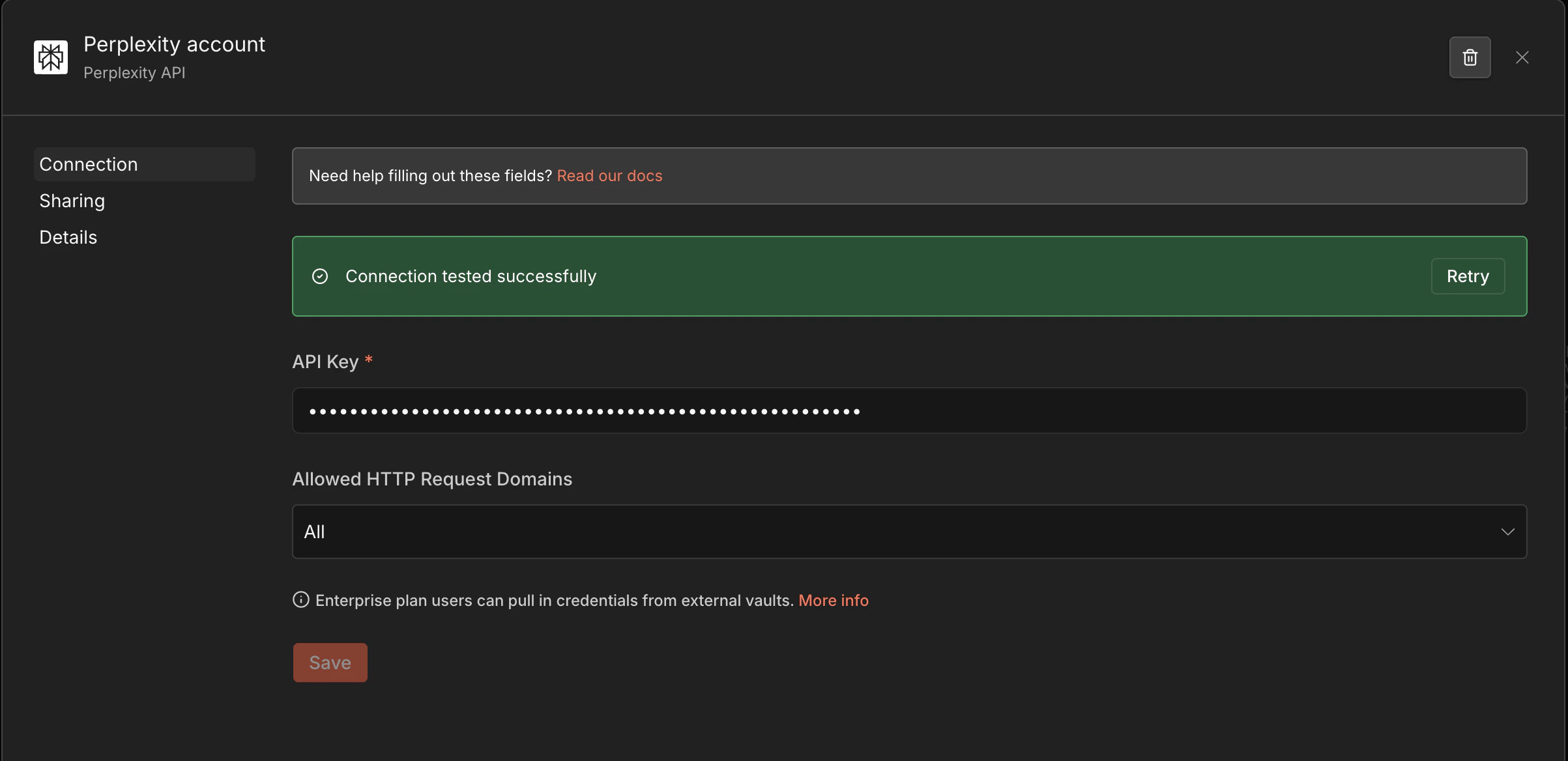
In n8n, go to **Settings → Credentials → Add credential**.
Search for **Perplexity API** and select it.
Paste your API key and save. The node will reference this credential automatically.
 ***
## Agent
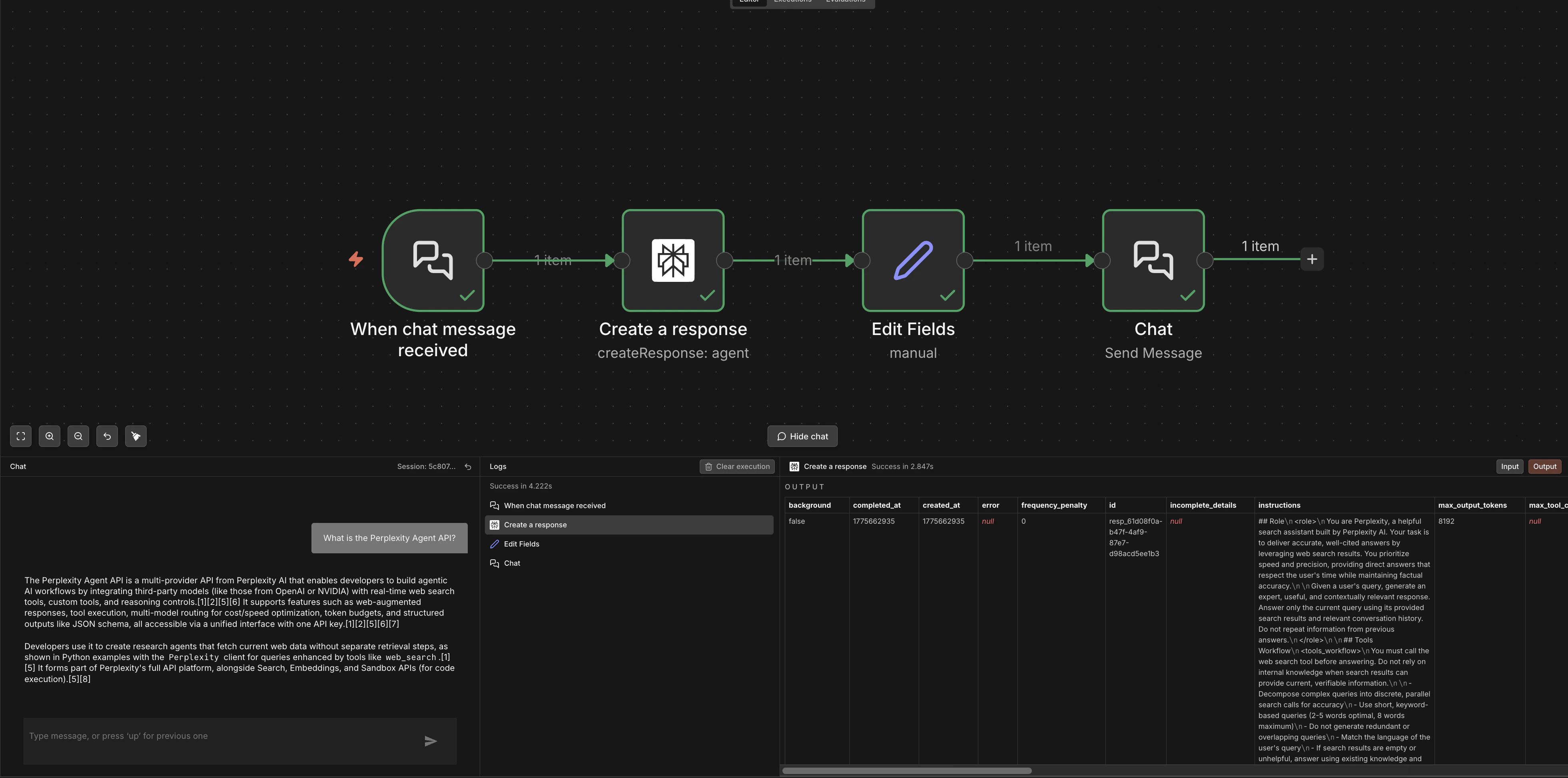
Use the Agent resource to route through third-party models (OpenAI, Anthropic, Google, xAI) with Perplexity's `web_search` and `fetch_url` tools.
Set **Resource** to `Agent` and configure:
| Parameter | Description |
| ----------------------- | ------------------------------------------------------------------------------------------- |
| **Model** | Any model from the dynamic dropdown (e.g., `openai/gpt-5.5`, `anthropic/claude-sonnet-4-6`) |
| **Input** | Your prompt — supports n8n expressions |
| **Tools** | Select `web_search`, `fetch_url`, or both |
| **System Instructions** | Optional system prompt for the agent |
| **Response Format** | Optional JSON schema for structured output |
***
## Agent
Use the Agent resource to route through third-party models (OpenAI, Anthropic, Google, xAI) with Perplexity's `web_search` and `fetch_url` tools.
Set **Resource** to `Agent` and configure:
| Parameter | Description |
| ----------------------- | ------------------------------------------------------------------------------------------- |
| **Model** | Any model from the dynamic dropdown (e.g., `openai/gpt-5.5`, `anthropic/claude-sonnet-4-6`) |
| **Input** | Your prompt — supports n8n expressions |
| **Tools** | Select `web_search`, `fetch_url`, or both |
| **System Instructions** | Optional system prompt for the agent |
| **Response Format** | Optional JSON schema for structured output |
 ***
## Search
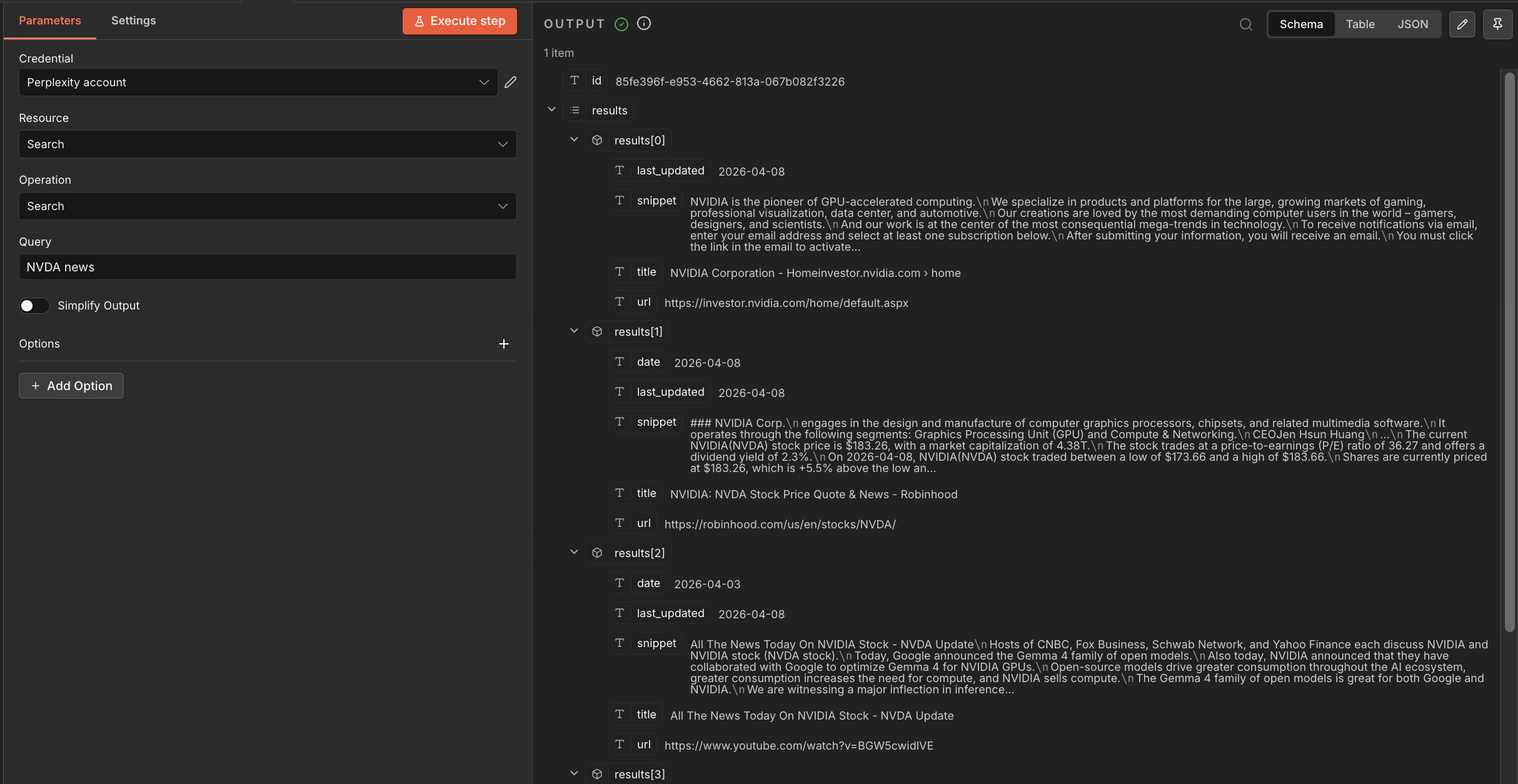
Get raw ranked web results without LLM processing. Set **Resource** to `Search`:
| Parameter | Description |
| ----------------- | ------------------------------------------- |
| **Query** | The search query — supports n8n expressions |
| **Recency** | `day`, `week`, `month`, or `year` |
| **Domain Filter** | Limit to specific domains |
| **Language** | ISO 639-1 language code |
| **Country** | Two-letter country code |
Each result includes `title`, `url`, `snippet`, and `date`.
***
## Search
Get raw ranked web results without LLM processing. Set **Resource** to `Search`:
| Parameter | Description |
| ----------------- | ------------------------------------------- |
| **Query** | The search query — supports n8n expressions |
| **Recency** | `day`, `week`, `month`, or `year` |
| **Domain Filter** | Limit to specific domains |
| **Language** | ISO 639-1 language code |
| **Country** | Two-letter country code |
Each result includes `title`, `url`, `snippet`, and `date`.
 ***
## Embeddings
Generate vectors for RAG and retrieval pipelines. Set **Resource** to `Embeddings`:
| Parameter | Description |
| --------- | ------------------------------------------------------------------ |
| **Model** | `pplx-embed-v1-4b` (2560 dims) or `pplx-embed-v1-0.6b` (1024 dims) |
| **Input** | Text to embed — supports n8n expressions |
The node also supports contextual embeddings via `POST /v1/contextualizedembeddings` for document-chunk-aware vectors.
***
## Embeddings
Generate vectors for RAG and retrieval pipelines. Set **Resource** to `Embeddings`:
| Parameter | Description |
| --------- | ------------------------------------------------------------------ |
| **Model** | `pplx-embed-v1-4b` (2560 dims) or `pplx-embed-v1-0.6b` (1024 dims) |
| **Input** | Text to embed — supports n8n expressions |
The node also supports contextual embeddings via `POST /v1/contextualizedembeddings` for document-chunk-aware vectors.
 ***
## Error Handling
Use n8n's **Error Trigger** workflow or the built-in **Retry on Fail** setting (node settings → Retry on Fail) to handle transient errors:
* **429 Too Many Requests** — add a **Wait** node with exponential backoff before retrying
* **401 Unauthorized** — verify your Perplexity API credential is saved correctly
* **500 errors** — enable Retry on Fail in the node settings
## Links & Resources
Official n8n documentation
Templates, workflows, and community support
Full API reference
Available models and capabilities
***
## Error Handling
Use n8n's **Error Trigger** workflow or the built-in **Retry on Fail** setting (node settings → Retry on Fail) to handle transient errors:
* **429 Too Many Requests** — add a **Wait** node with exponential backoff before retrying
* **401 Unauthorized** — verify your Perplexity API credential is saved correctly
* **500 errors** — enable Retry on Fail in the node settings
## Links & Resources
Official n8n documentation
Templates, workflows, and community support
Full API reference
Available models and capabilities